 When you install a drawing program in Linux and suddenly… (ಠ_ಠ)
Imagine you have installed an application in Discover in your Kubuntu 22.04.
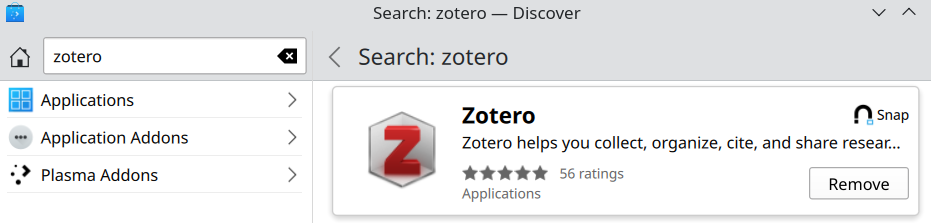 For whatever reason, you cannot find it when you are supposed to be seeing it in the start menu. Fear not.
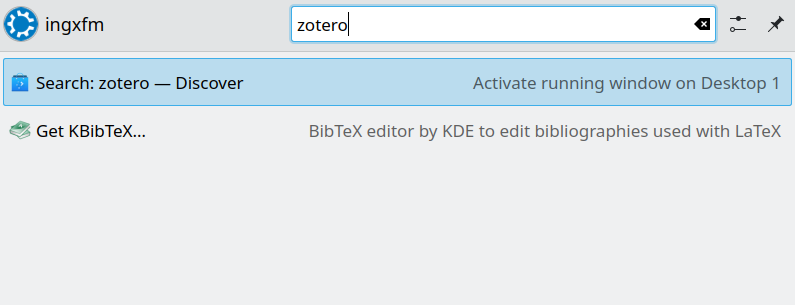 So, it happens that for an application to be shown in the start it needs to be added in the directory /usr/share/applications. There are 2 questions here:
- How to add the application in that directory?
- Why Discover is not doing this as part of the installation process?
How to add the application in that directory?
We need to add the so-called desktop entry of our program in order to see in the start menu. We briefly dealt with desktop entries when we had the issue with the screenshot tool Spectacle.
According to this reference, desktop entries are placed in /usr/share/applications/ for installed applications. In this case, I was dealing with the zotero program. Let’s see if the .desktop file is there:
ls -l /usr/share/applications | grep zotero
The output shows me entry is not there for zotero. Mmm, me not like. Let’s add it. But, from where? After investigation I see that desktop entries for snaps are located in /var/lib/snapd/desktop/applications/. Is the zotero entry there?
ls -l /var/lib/snapd/desktop/applications/ | grep zotero
The output says yes. Now, let’s add it to /usr/share/applications. Let’s add a symbolic link:
sudo ln -s /var/lib/snapd/desktop/applications/zotero-snap_zotero-snap.desktop /usr/share/applications
Then, let’s try the start menu.
 Success! Now, we should not need to do this.
Why Discover is not doing this as part of the installation process?
It is not a problem with the zotero snap because it happened when I tried the skype snap or other snaps, also from Discover. It seems it might be an issue with the Discover.
sudo journalctl -u snapd
And I can see this warning, which did not happen before when installing snaps:
systemd[1]: /lib/systemd/system/snapd.service:23: Unknown key name 'RestartMode' in section 'Service', ignoring.
After investigating, it seems this RestartMode is a systemd directive. And there is an issue reported here: https://github.com/systemd/systemd/issues/34758.
Let’s add a script that adds the symbolic links at startup:
#!/bin/bash
for file in /var/lib/snapd/desktop/applications/*.desktop; do
ln -sf "$file" /usr/share/applications/
done
Let’s add this in the System Settings -> Startup and Shutdown -> Autostart:
Do not forget to make the script executable:
chmod +x <path_to_script>/script.sh
Now, when you restart the script will create the symbolic links if it finds any new .desktop files in the directory /var/lib/snapd/desktop/applications/.
Conclusion
Another day, another issue in Linux desktop. This is a fine OS for servers, data centers, HPC. However, for Desktops your mileage may vary and you can frustrated spending time trying to troubleshoot simple things like installing a program and seeing it appear in the start menu. This works well in the fenestra OS. Let’s not dwell on this too much. The right tool for the right task!
Cheers!